 Open source · Electron · 100% local
AWS profiles & MFA sessions,
managed locally.
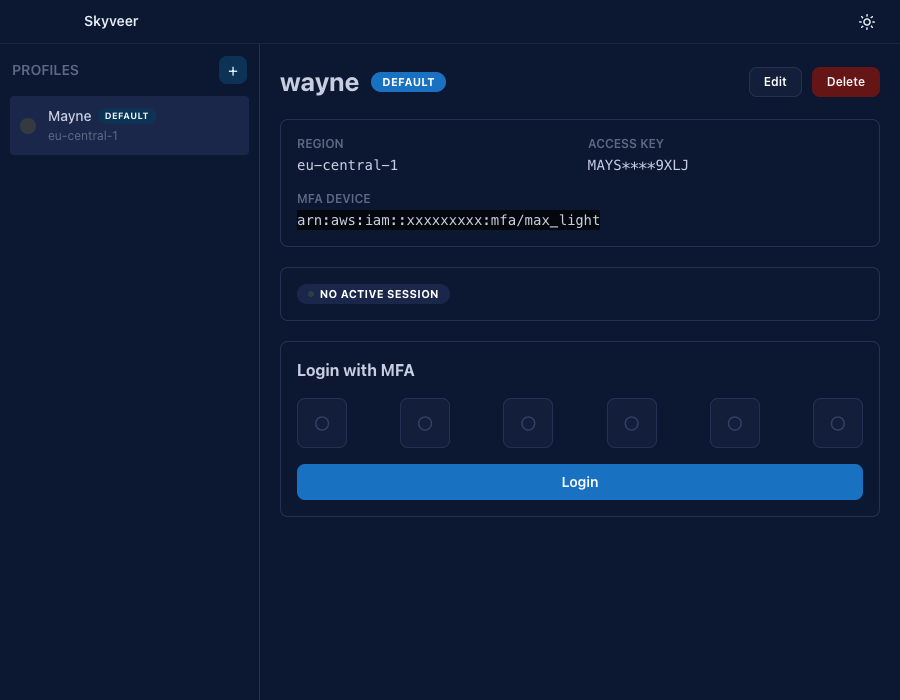
Skyveer is a tiny desktop app for juggling AWS profiles, requesting
STS session tokens with MFA, and writing them into
~/.aws/credentials without ever leaving your machine.
Everything you need, nothing you don't.
Built for engineers who switch AWS accounts a dozen times a day and want MFA without the shell gymnastics.
Profile management
Add, edit, and delete IAM profiles, access keys, MFA device ARN, region, and label.
MFA / OTP login
Enter your 6-digit code and Skyveer calls sts:GetSessionToken for you.
Default profile
Mark any profile as default, it auto-writes to the [default] credentials section.
Session tracking
Active / expired status verified live via sts:GetCallerIdentity.
Credential sync
Writes both ~/.aws/credentials and ~/.aws/config on every login.
12-hour sessions
Sensible defaults, requests STS tokens with a 12-hour duration so you can focus on shipping.
Clean, dark, out of your way.
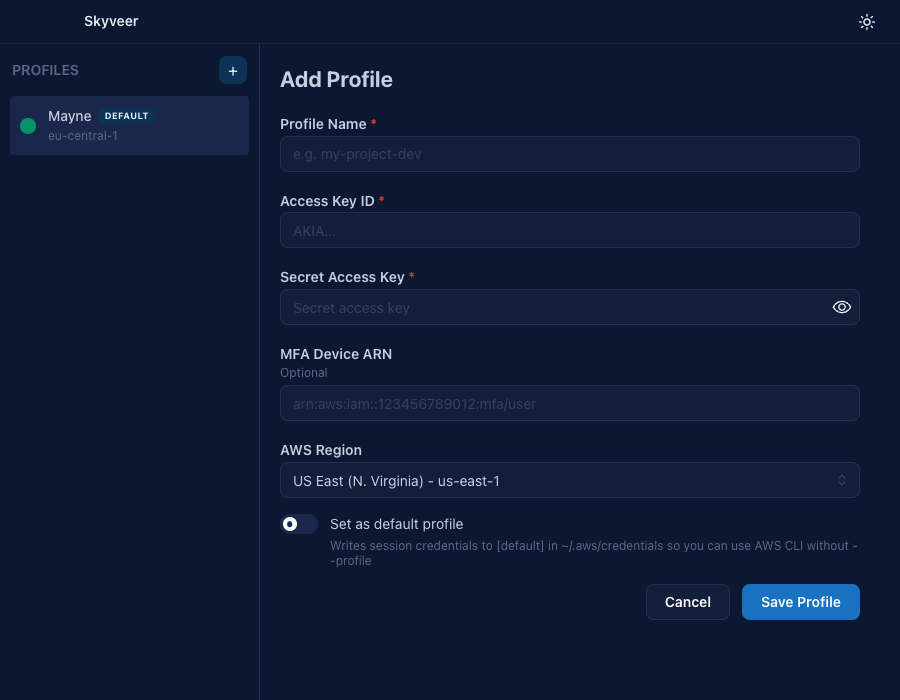
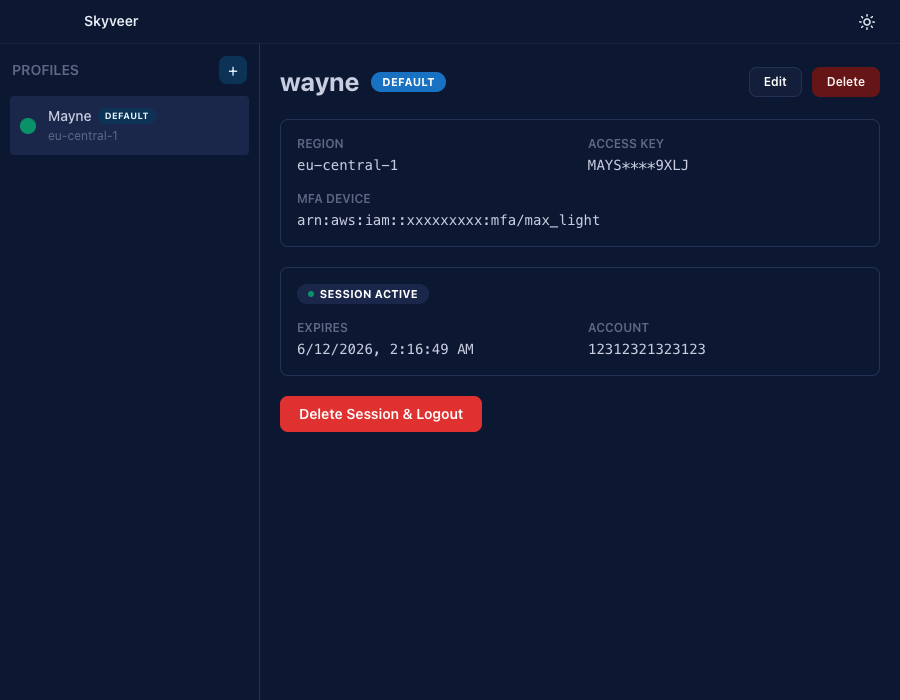
From zero to authenticated in four clicks.
Add a profile
Drop in your IAM keys, MFA device ARN, region, and a friendly name.
Enter your OTP
Skyveer calls sts:GetSessionToken and writes temporary creds locally.
Use the AWS CLI
Run aws --profile <name> or nothing at all if it's your default.
Logout when done
One click wipes the session from ~/.aws/credentials.
More than just AWS.
Skyveer started with AWS, but it's built to grow. Here's what's next on the roadmap.
More cloud providers
Bring profile + session management beyond AWS, GCP, Azure, and friends.
Workspaces
Group profiles by project, team, or environment so context-switching stays sane.
Console per provider
Open a scoped terminal for each profile without ever writing credentials to disk.
Get Skyveer for your OS.
Grab the latest installer from the GitHub Releases page.


Your keys never leave your machine.
All STS calls go directly to AWS. Profile data is stored in Electron's local app data directory — no servers, no telemetry, no third parties.